Administration
Information for administrator
Malti Admin information
This two screenshots below show the back-office. It is generated by
Django
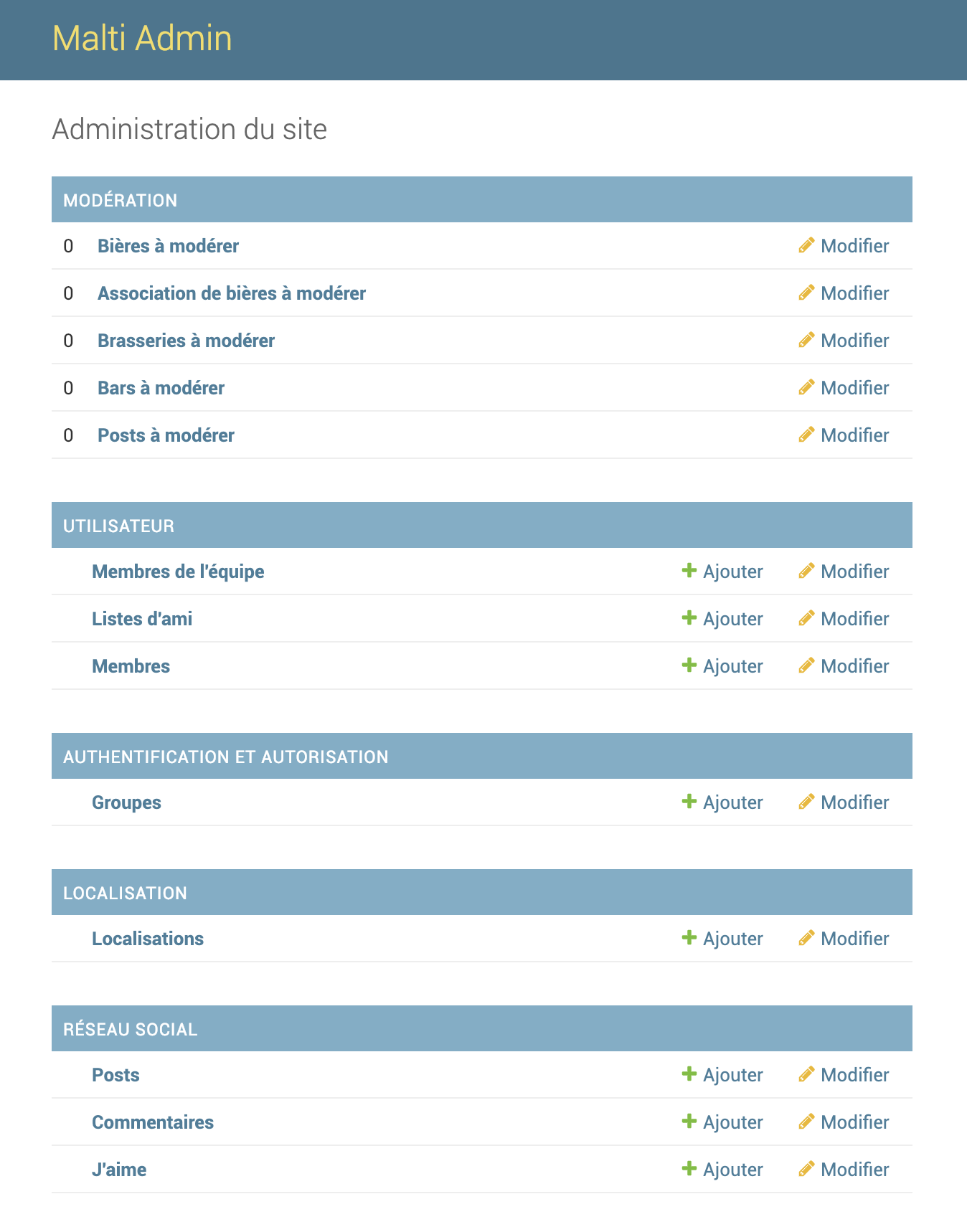
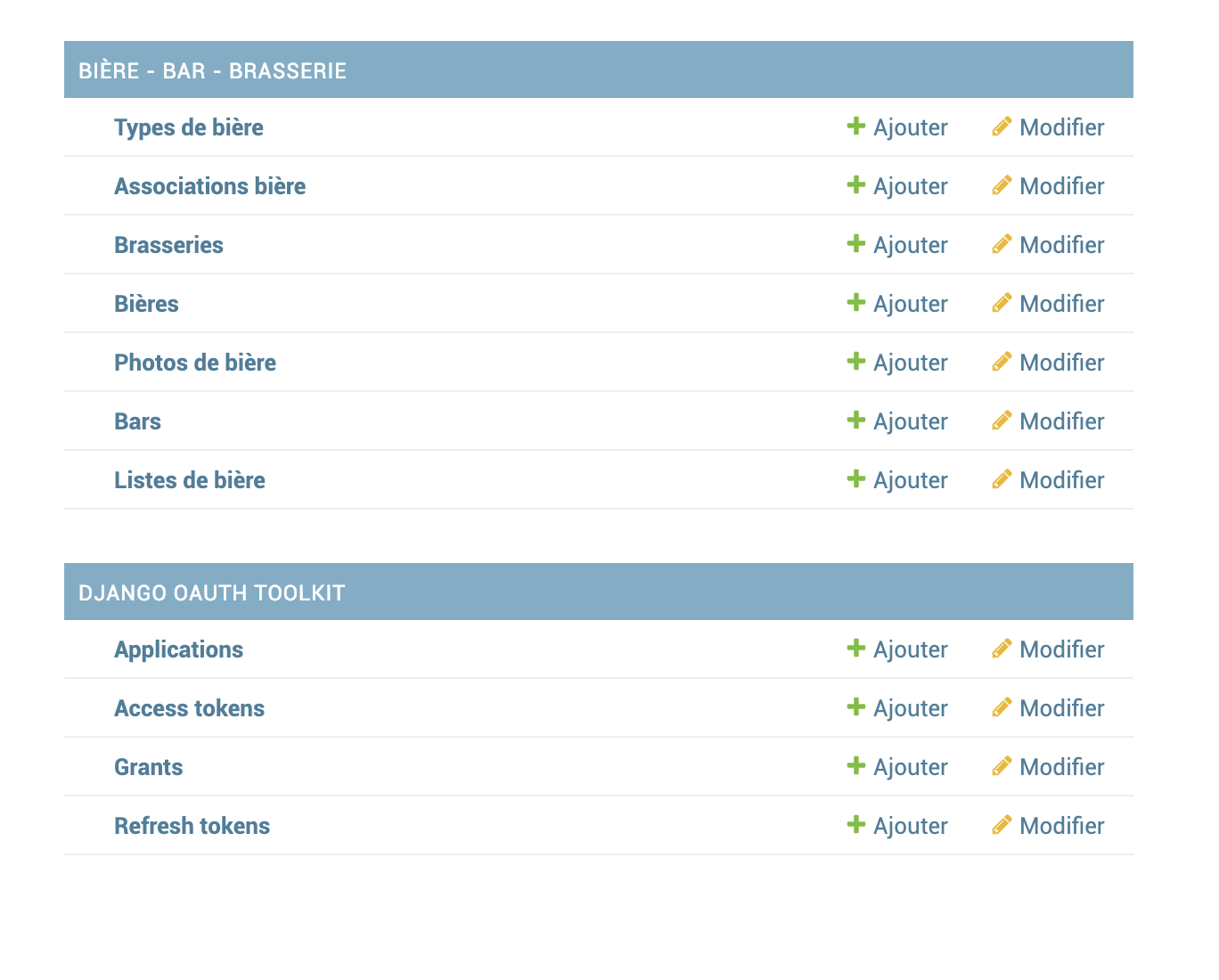
You can add different object :
beer
- BeerType
- Beer
- Bar
- Brewery
- BeerList
- BeerPicture
- BeerItem (associative table beer/bar)
user
- StaffMember
- Member
- FriendList
location
- Location
Moderation
The most important part of admin is Moderation. The items that can
be moderated are :
Beer, Bar, Brewery, BeerItem and Post
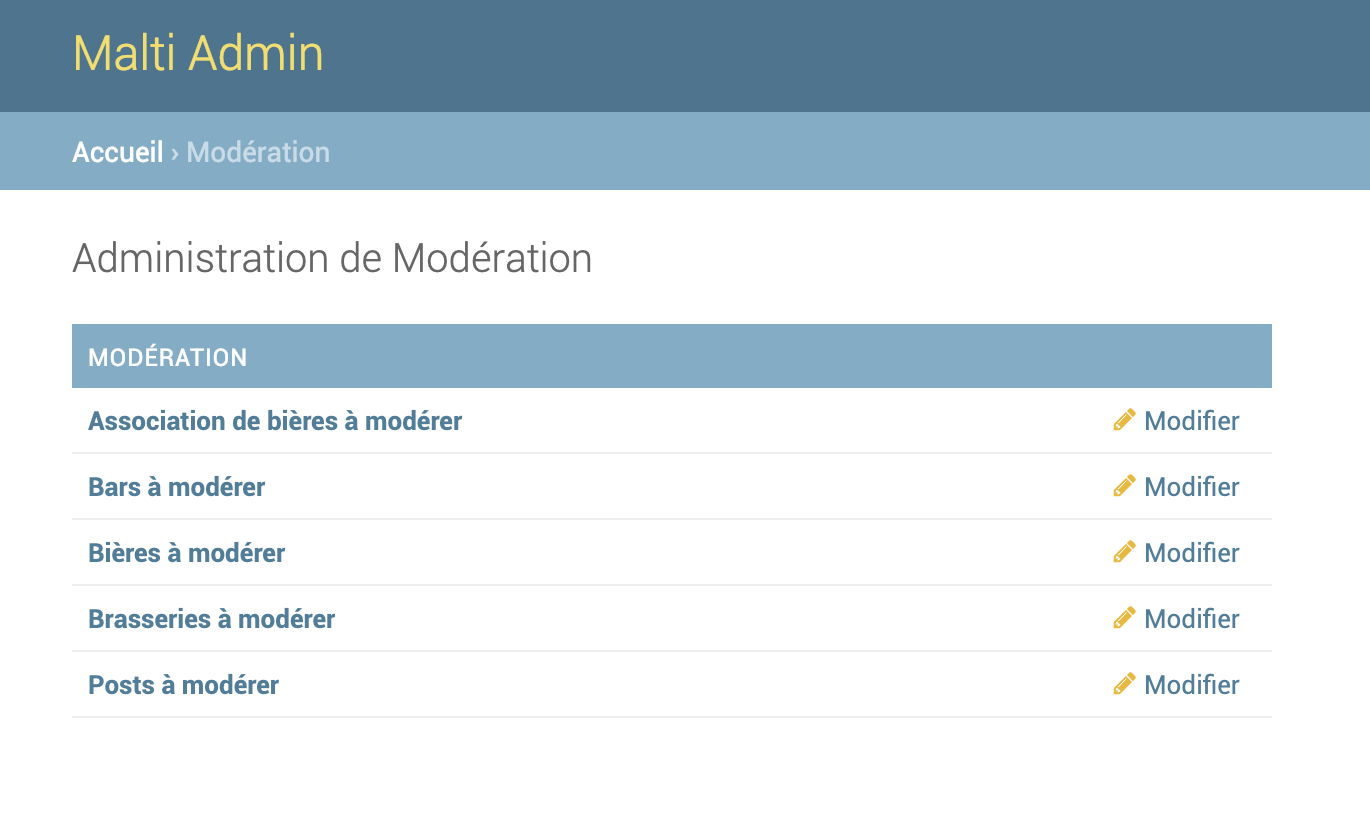
For example, you can navigate to beer moderate page

You can search specific item with the top input. The
filter parameter are specified in code. For example,
we have the filters : name, member name,
review and other…
And the beer detail page :
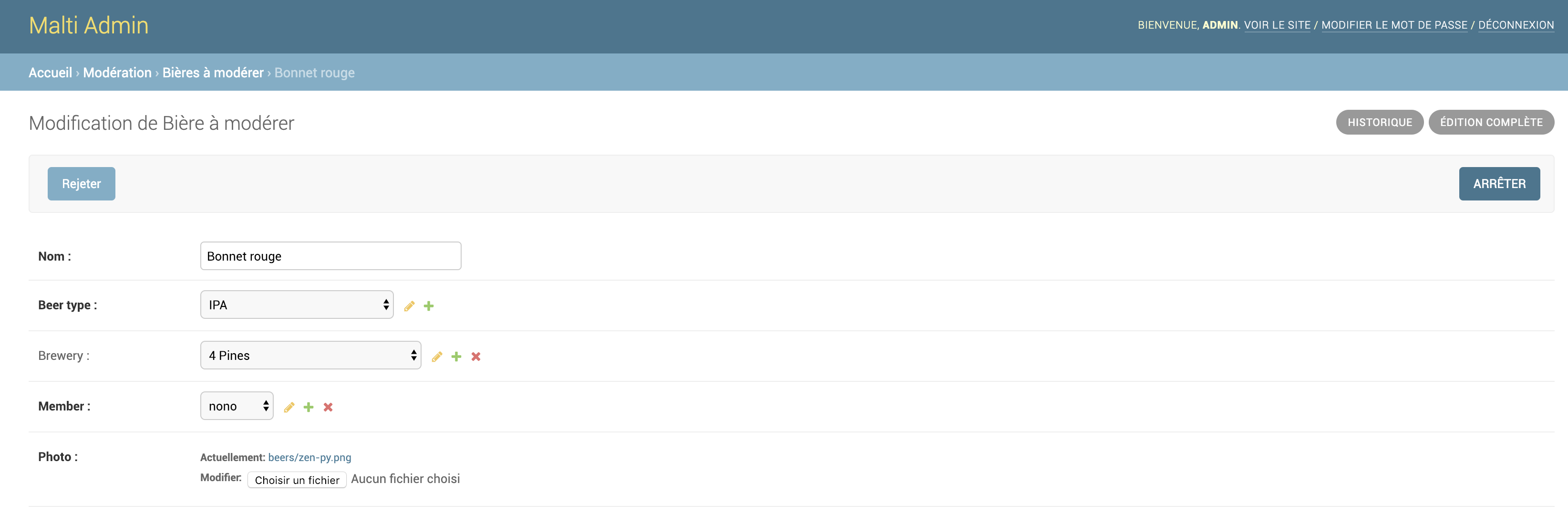
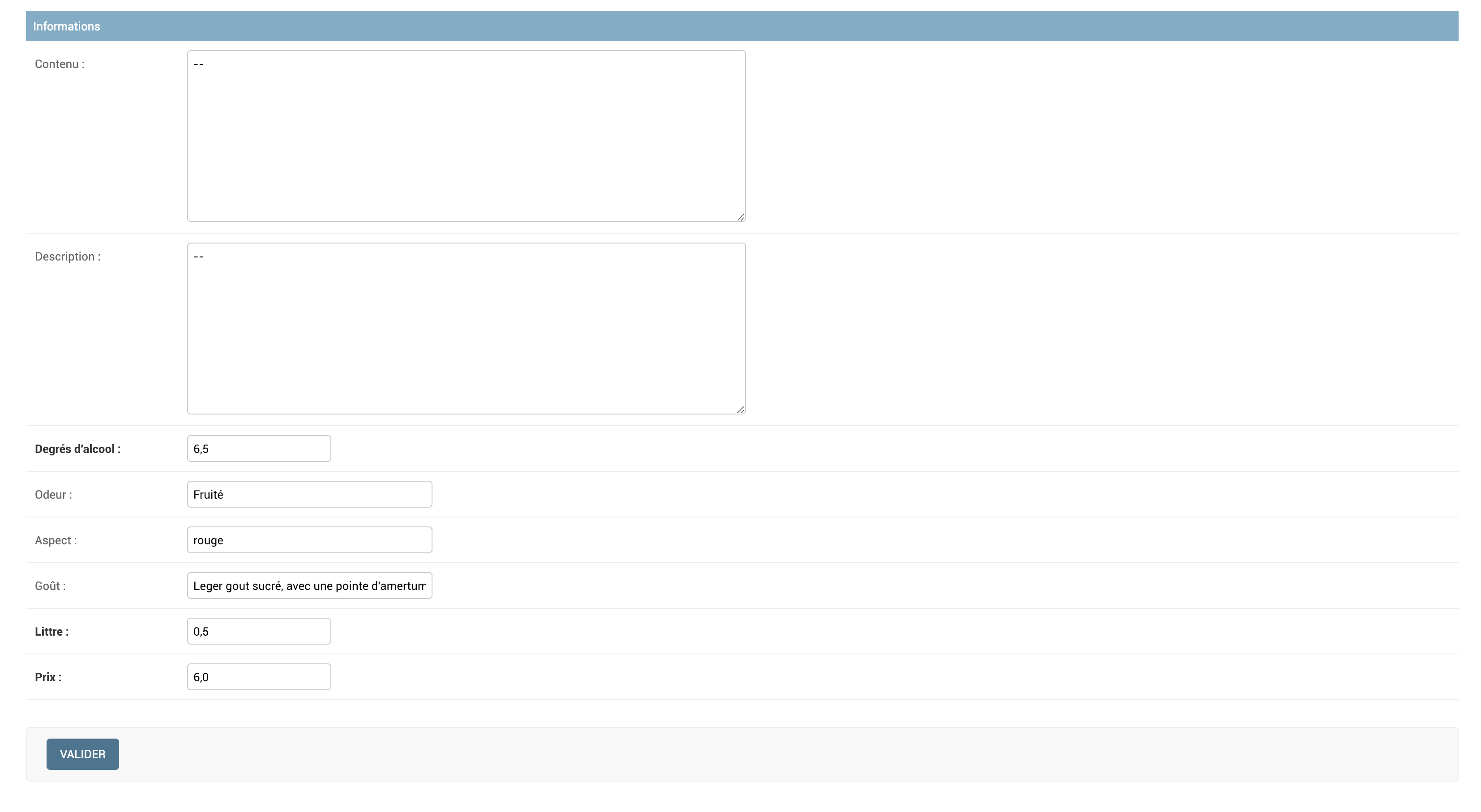
When you moderate an item 1, if second item exist, you navigate automatically on this
The 3 possibles actions are : Rejeter (Reject), Arrêter (stop) and Valider (Valid) on bottom (image2). You can also populate the empty field.
Actions
- Reject button : invalid the item
- Valid button : valid the item
- Stop button : when you stop the moderation, you should click on this button for unlock the lock. The next administrator will be able to moderate the item.
social